
Good evening — what's for dinner?
The sharedmemory foryour home.
What's for dinner. What you need. Who's got it. One calm, private place everyone at home writes to and reads from — so nobody has to be the one who remembers everything.
Watch the film39 seconds · a week in the Alvarez homeBuilt for the whole household. Private by default. iPhone, iPad and Mac.
A week in the Alvarez home
One week, one household, under a minute.
The invisible list
Someone always carries the list.
The dinners, the bills, the cleats, the pickups. In most homes one person holds it all in their head — and the holding is the work nobody sees.
- dinner?
- Leo's cleats
- internet bill, the 22nd
- June's snack duty Friday
- milk (again)
Share the remembering
One partner shouldn't be the household's database.
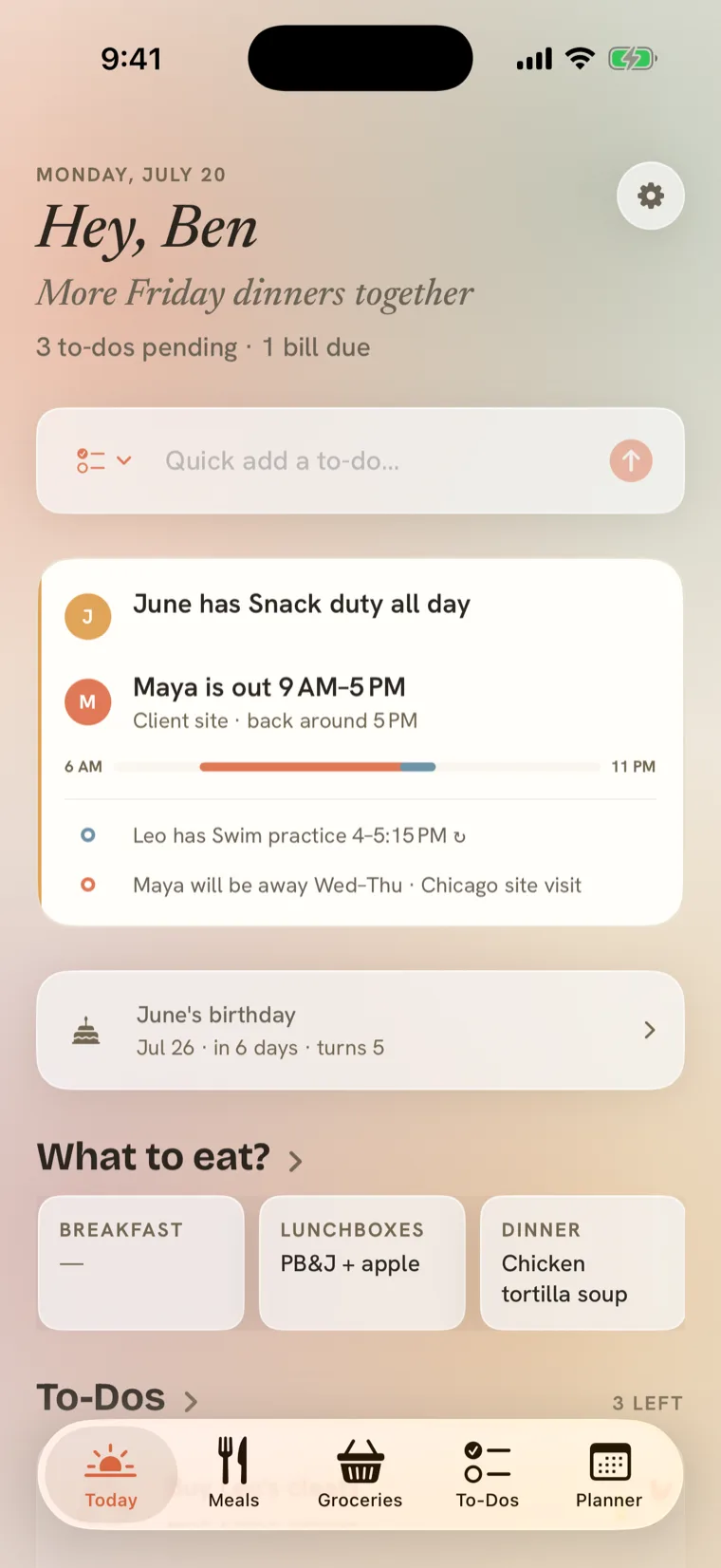
Everything anyone adds appears on everyone else's phone, live — the plan, the list, the pantry, the days that matter. Not a notification demanding attention. Just, quietly, already there.
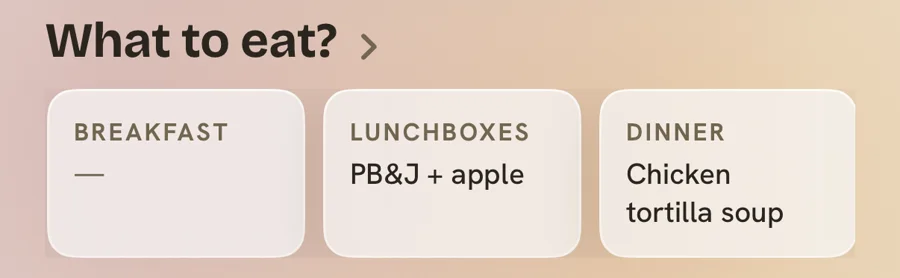
Dinner, answered
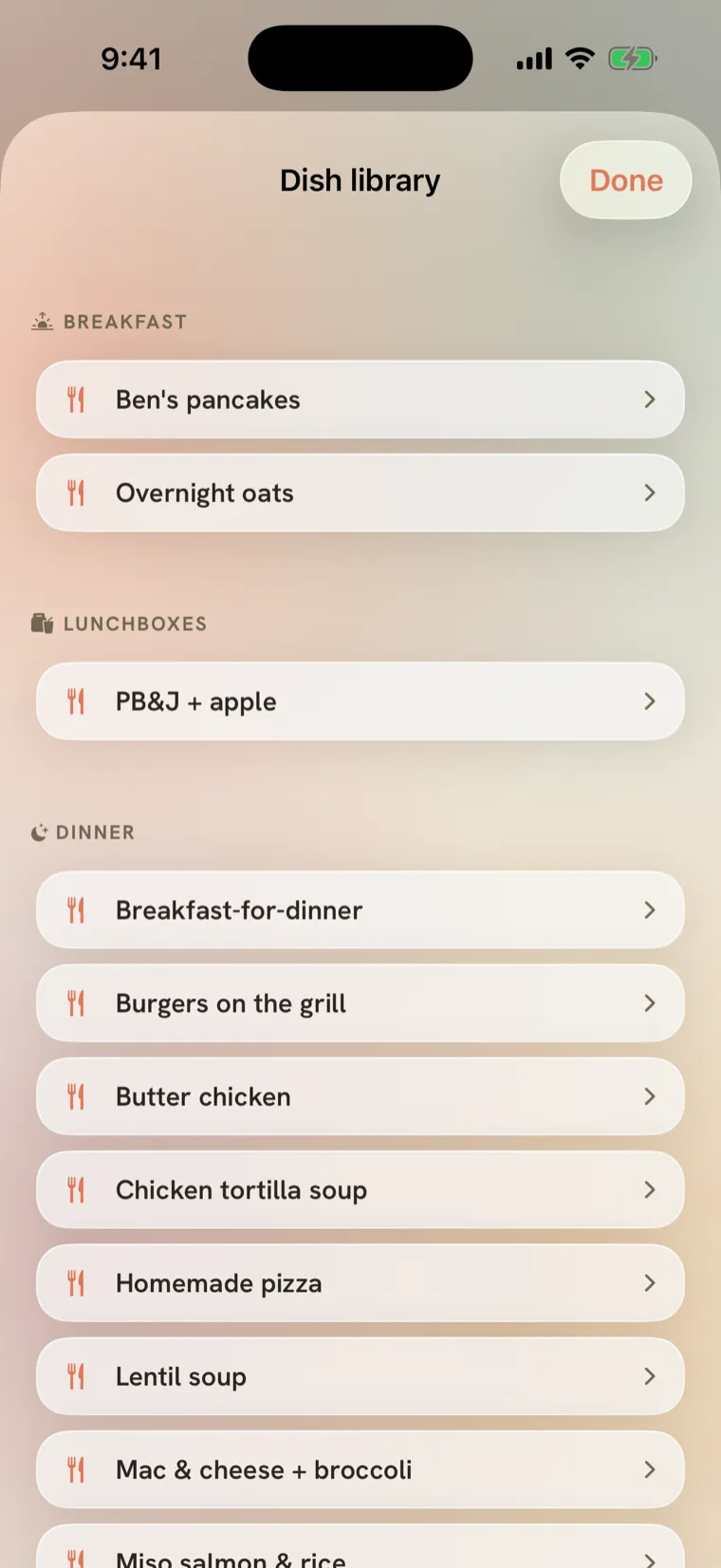
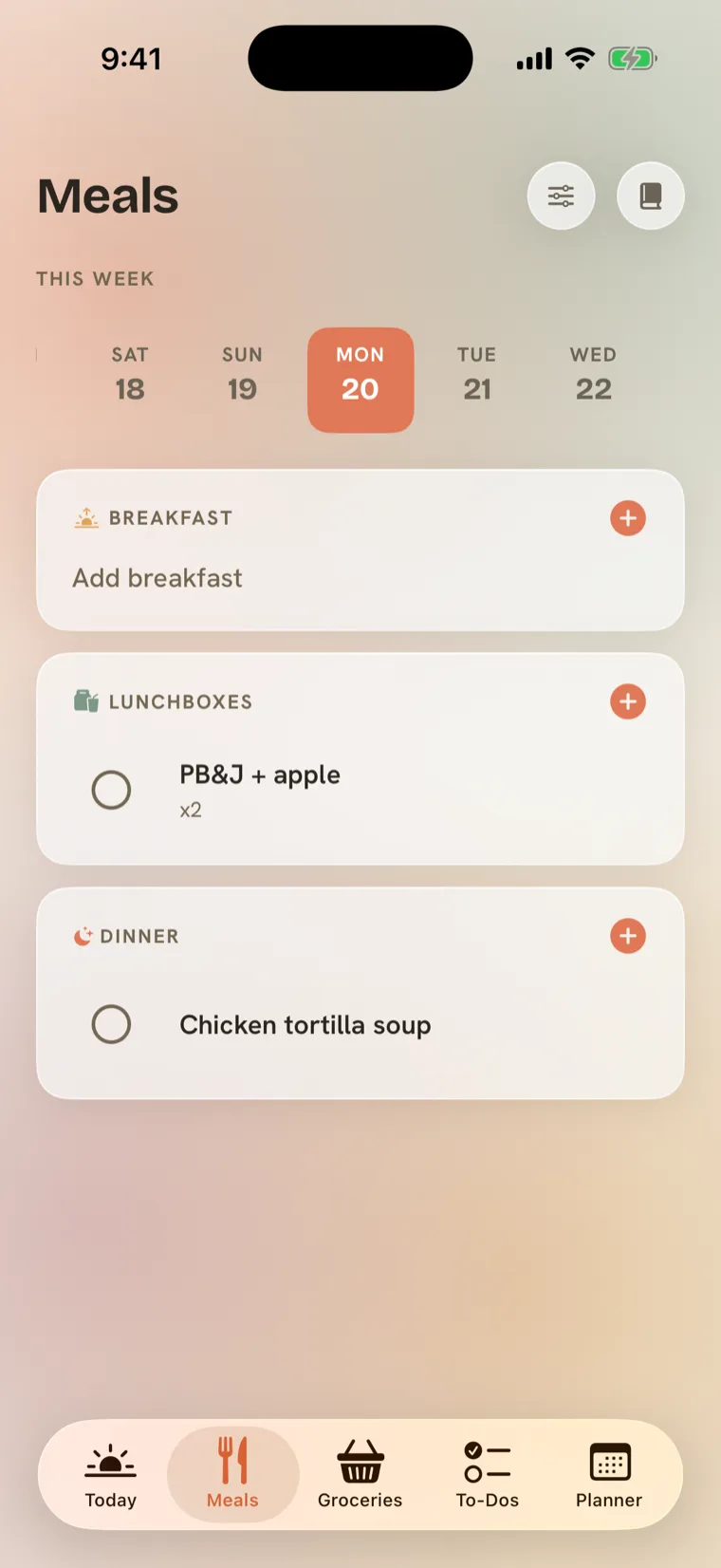
The most-asked question in any home, answered in zero taps.
Ask Siri. Glance the widget. Plan the week in a minute — from a library of dishes your own kitchen grew, not someone else's recipes. Tonight's plan sits on your Home Screen and your Lock Screen.
From list to shelf and back
The only list that knows what's home.
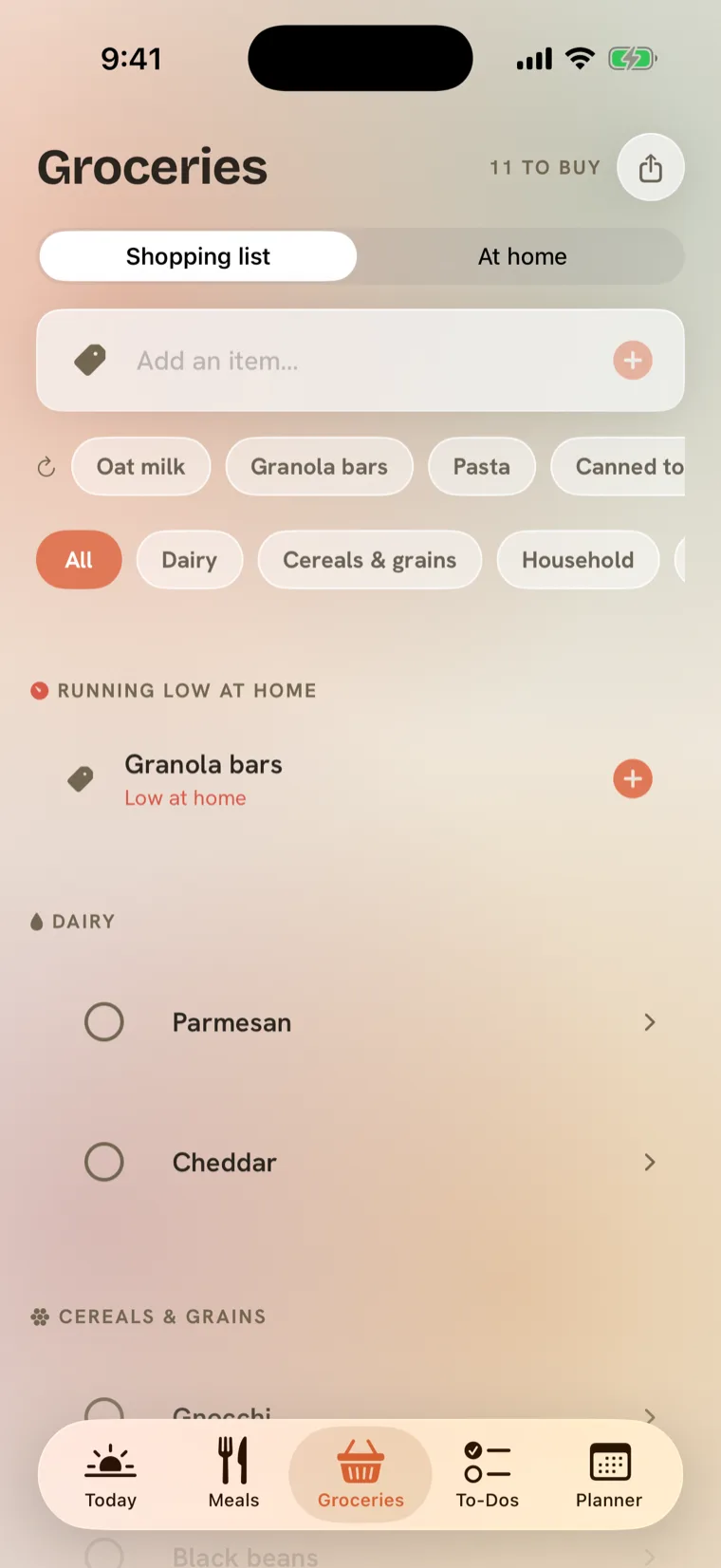
1Check it off at the shop.
Tick off the parmesan in the dairy aisle and it leaves the list for everyone — no "did you already get it?"
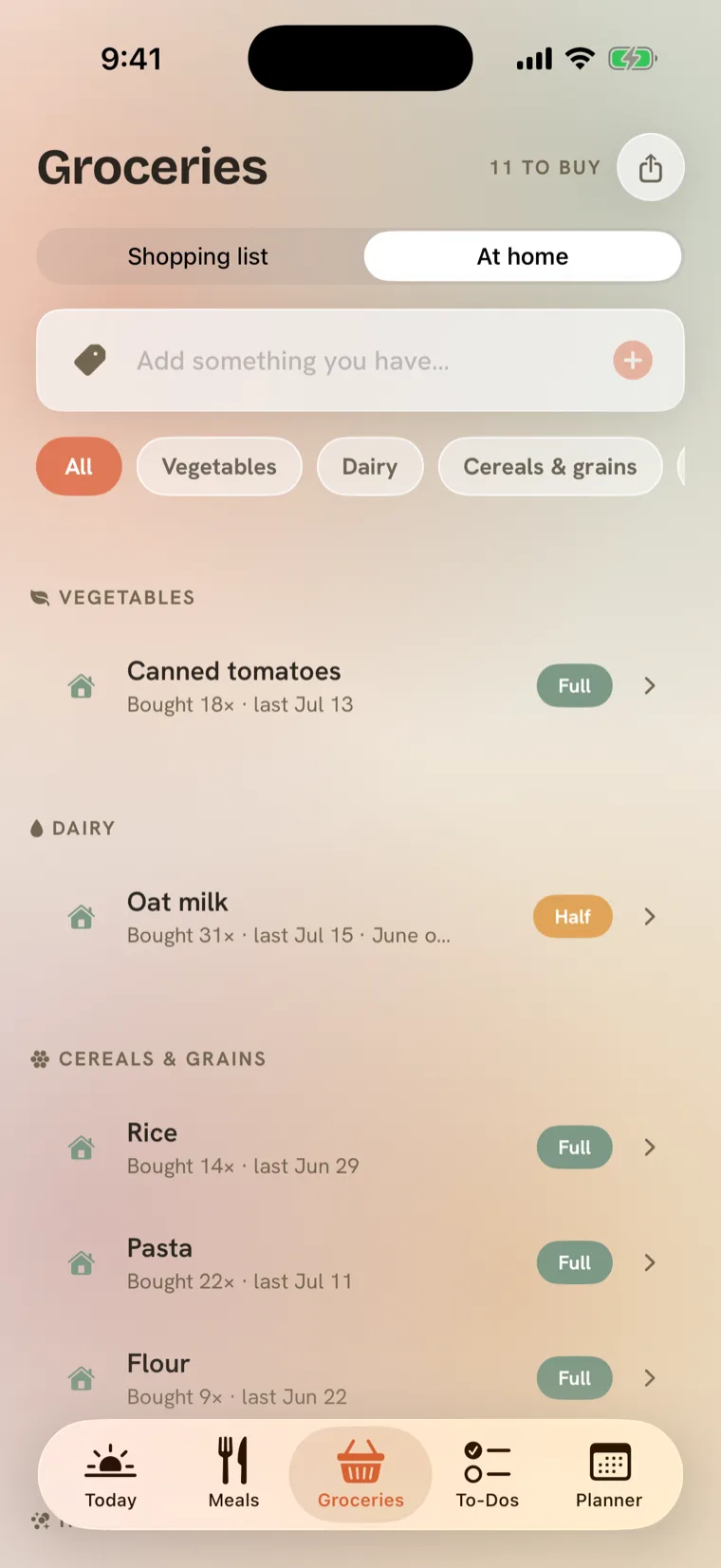
2It lands on the shelf.
At home shows what's full, what's half, and how often you buy it — so "do we need rice?" becomes a question you stop asking each other.
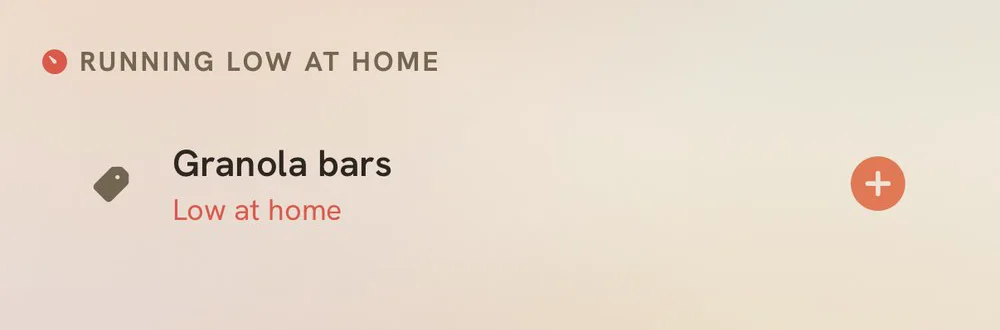
3When it runs low, the list knows.
Mark the granola bars low and they're waiting at the top of the list, one tap from added. A closed loop between the shelf and the shop.
No AI reading your family's life. Just a home that remembers.
Who's around
Everyone's week, without the group text.
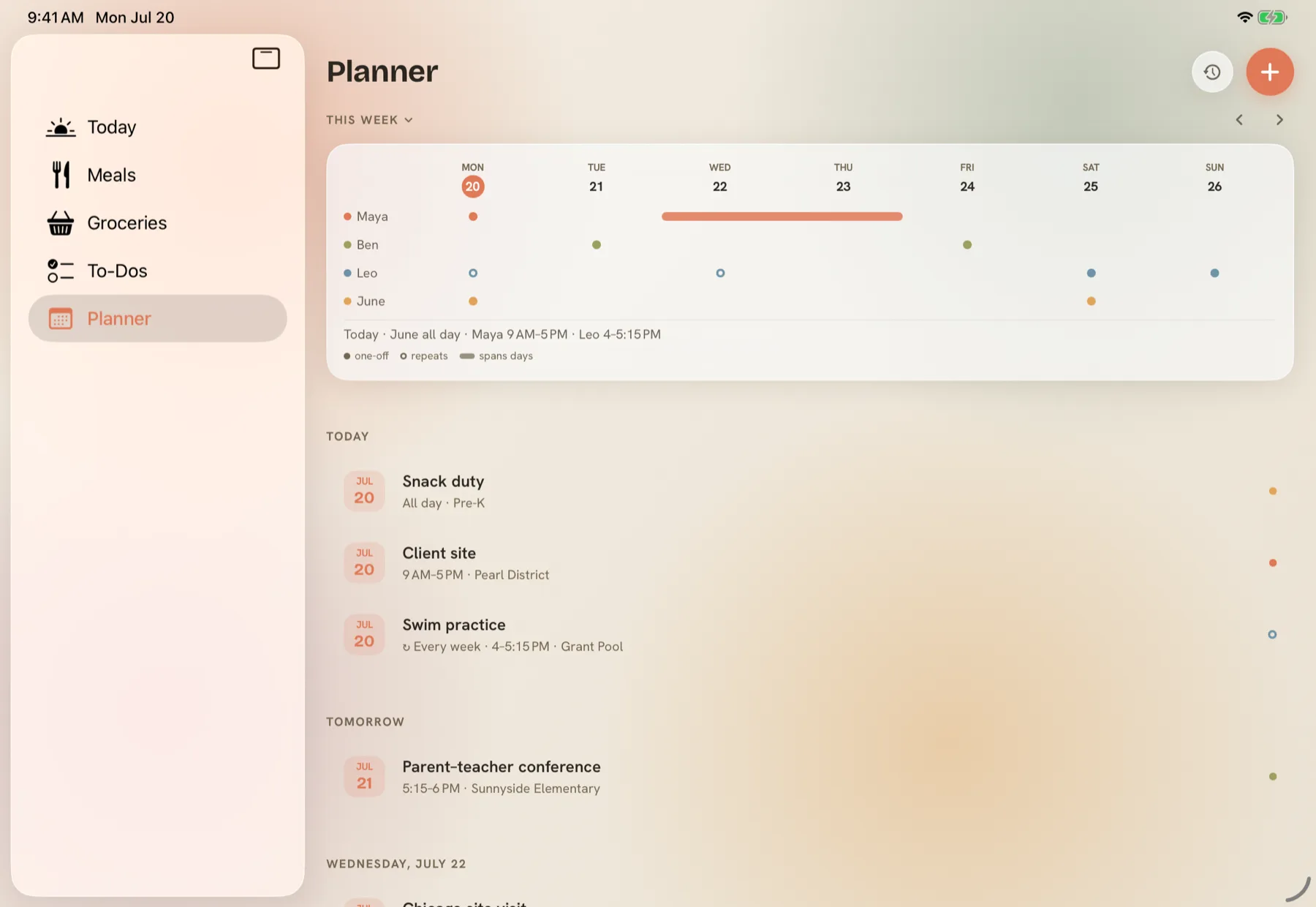
Add a class, a shift, a trip — and everyone's phone quietly learns when, written in their own timezone. One lane per person, one column per day. Anything that repeats, you enter once. So "are you free Thursday?" stops being a text and becomes something you can simply look at.

The rest of the remembering
Everything else the house holds, in the same place.
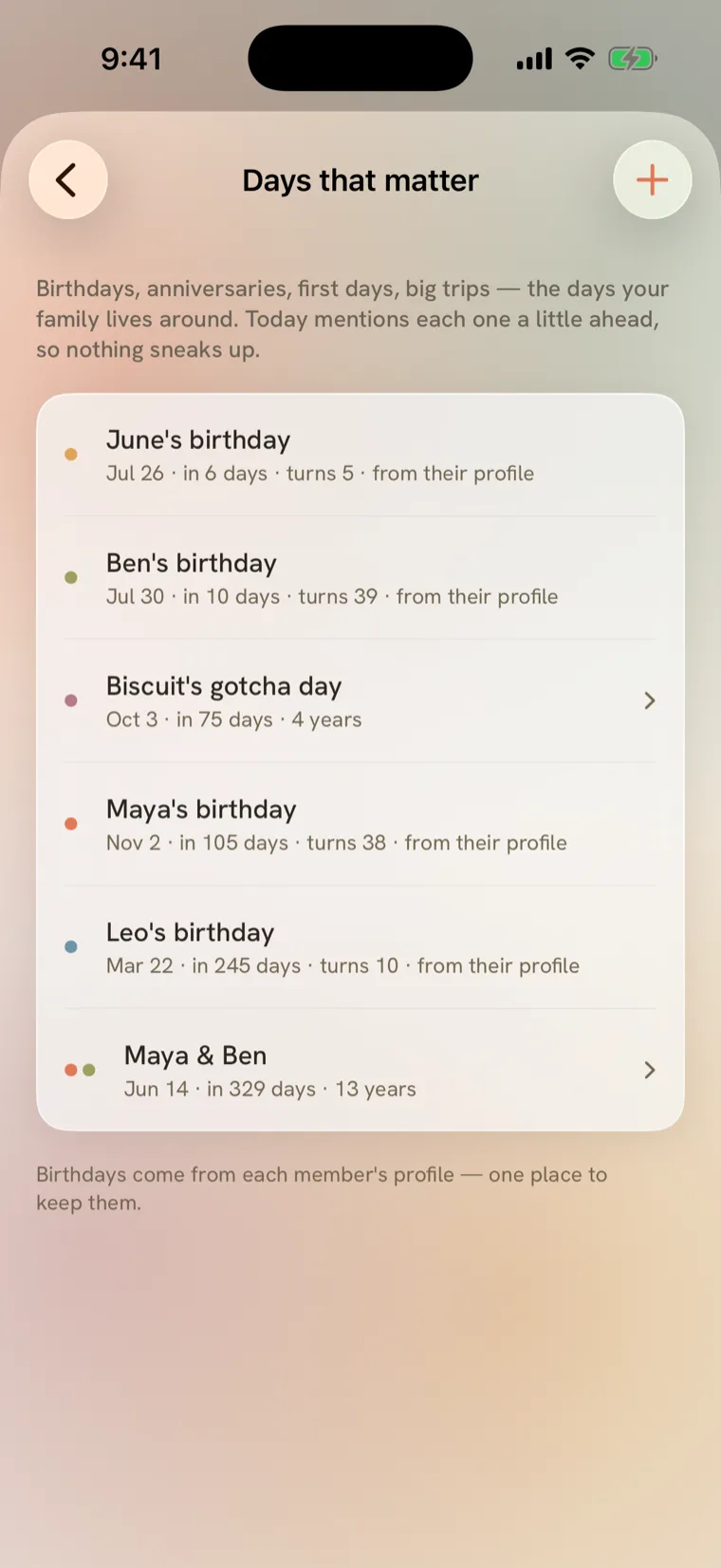
The to-dos, the pantry, and the days that matter — birthdays, anniversaries, the days your family made up. The bills sit here too, quiet until they're due. None of it shouts. All of it syncs.
To-dos
Buy Leo's cleats — Ben has it.
Pantry
The rice is home, the flour is low — the list already knows.
Days that matter
June turns five in 6 days — time to order the cake.
The app that notices
Homespun notices the person who notices everything.
The remembering is invisible work — until something makes it visible. Open Homespun and it tells you what the others did while you were away: the vet booked, the list added to, the day that's coming. Not a scoreboard. Just the work, finally in the open.
Everywhere you already are
On the iPad in the kitchen. On the Mac on Sunday.
The same home, adapted to each screen rather than stretched across it — a sidebar on the Mac, the week opening out edge to edge on iPad. Widgets put tonight's dinner on the Home Screen, and Siri adds to the list when your hands are full.
Why we built this
We didn't fight about the chores. We fought about the remembering.
In our home, one person carried the list — the ambient one. What's for dinner, whether there's rice, what to bring to Sunday lunch. Everyone else helped, willingly, whenever they were asked. That word was the problem: asked. When people have to ask, somebody has to be the one who remembers — and remembering never clocks out.
It isn't only a two-person problem, either. Add a child, a parent, a flatmate, and the list doesn't get divided. It gets longer — usually on the same person.
Notes apps organized our tasks and left the remembering exactly where it had always been. So I built Homespun: one shared memory the whole house writes to and reads from. Nobody has to ask. Everybody knows.
— the founder, one of the people who keeps a home running
No ads. No streaks. No feed. No guilt.
Nothing here tracks you — this site doesn't even need a cookie banner. Your household's data stays in your region. And after a year, "247 dinners cooked together" is something Homespun mentions in a sentence, never a chart.
Before you write to us
The questions homes ask us first.
Is it really private?
What will it cost?
Which devices does it work on?
Does everyone need to join?
How do we get in early?
The calm
Carry less. Live more of it together.
The point of a smoother week isn't the week. It's the evening at the end of it, when the house has already remembered everything — and nobody has to be the one still holding it.

We're letting households in slowly.
Homespun is in private beta on iPhone, iPad and Mac. If your home wants in early, leave your email and we'll be in touch as we open up spots.